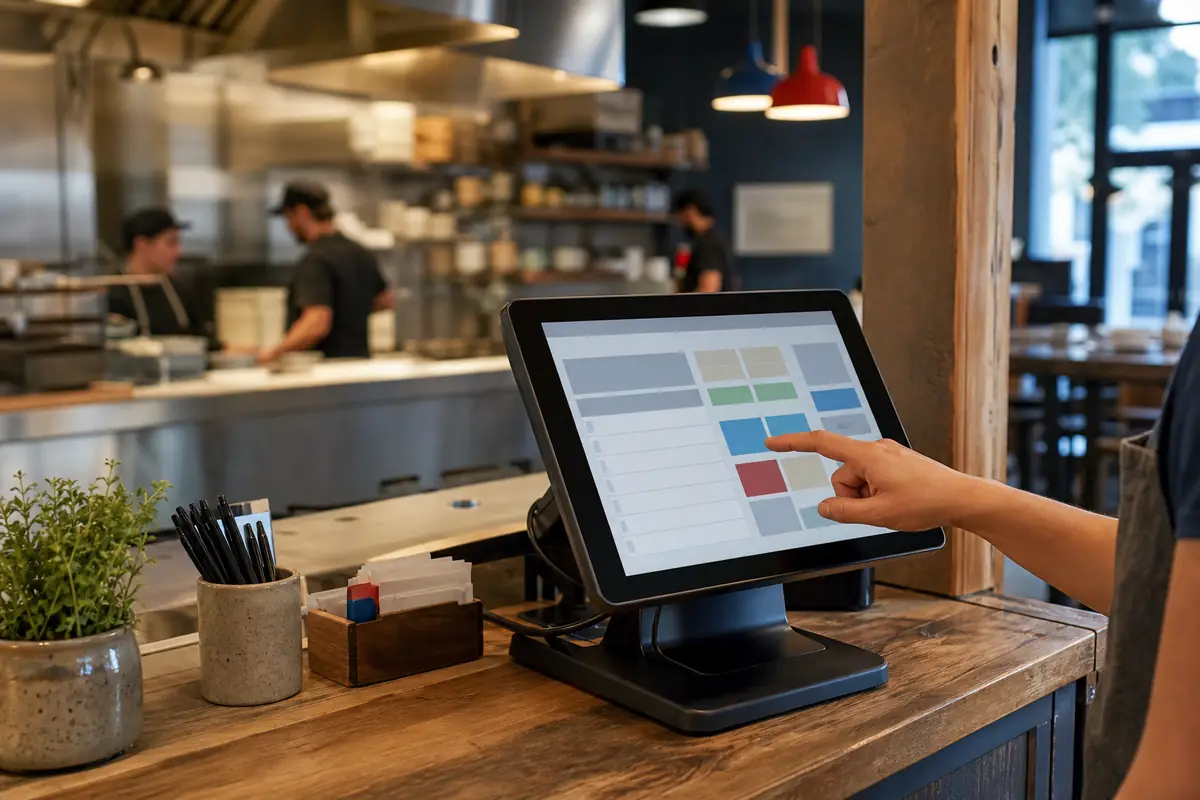
# Top 6 Restaurant POS Systems in the USA (2026): Pricing Compared
Choosing a restaurant POS system in the USA is not just a software decision. The real cost includes payment processing, terminals, handhelds, kitchen displays, online ordering, implementation and the contract behind them.
This guide compares six widely available restaurant POS systems using current public US pricing and restaurant-specific features. It is designed for independent restaurants, cafés, bars, quick-service concepts and growing multi-location groups.
Quick answer: Toast is a strong restaurant-first platform; Square offers the clearest low-cost entry; Lightspeed suits operators that want deeper restaurant and multi-location tools; TouchBistro is built around full-service workflows; SpotOn publishes unusually detailed plan and processing prices; and Clover combines restaurant software with a broad hardware and payments ecosystem.
Pricing checked: 28 July 2026. Prices, promotions, processing rates, taxes and contract terms can change. Always request a written, itemized quote for your exact locations and sales mix.
Top restaurant POS systems in the USA at a glance
| POS system | Best starting fit | Published US price reference | Payment pricing |
|---|---|---|---|
| Toast | Restaurants wanting an integrated restaurant-first platform | Flexible options starting at $0; software and processing fees apply | Quote based; Toast Payments is integrated |
| Square | Independent restaurants, cafés and small groups | Free $0; Plus $49/location/month; Premium $149/location/month | In person: 2.6% + 15¢, 2.5% + 15¢ or 2.4% + 15¢ by plan |
| Lightspeed Restaurant | Full-service and multi-location operations | Starter $69; Essential $189; Premium $399 per month | Request the complete integrated-payments rate |
| TouchBistro | Full-service restaurants using iPad-based workflows | POS from $69/month; Essentials with hardware from $119/month | Request a restaurant-specific processing quote |
| SpotOn | Operators comparing software and processing as one package | All-In $0/station/month; POS Essentials $55/station/month | Published rates vary by plan |
| Clover | Restaurants wanting packaged hardware and a large app ecosystem | Starter, Standard and Advanced bundles require a sales quote | Confirm rates in the merchant agreement |
“Top” does not mean one system is best for every restaurant. A counter-service café and a 300-seat full-service venue need different workflows. The best shortlist starts with your service model, transaction volume and required integrations.
How ChefPin compared these systems
ChefPin reviewed current official US vendor pages for:
- Restaurant ordering, modifiers, coursing and table management
- Handheld ordering and pay-at-table workflows
- Kitchen display systems and printer routing
- Card-present, online and keyed payment rates
- Hardware purchase, financing and replacement terms
- Online ordering, delivery, loyalty and gift cards
- Inventory, labor, payroll and accounting integrations
- Offline operation and support availability
- Multi-location controls, reporting and data access
- Contract, cancellation and implementation terms
This is an independent editorial shortlist based on public product information. Inclusion and order are not for sale. Vendor features and quotations should be validated through a live demo and written agreement.
1. Toast
Best starting fit: Restaurants that want POS, payments and a broad set of restaurant operations tools from one provider.
Toast’s official pricing page promotes flexible pricing and a starting option of $0. Toast’s current disclosures clarify that promotional starting pricing can apply to the first hardware device, while software and payment-processing fees still apply. Exact packages, hardware costs and processing terms should be obtained in a written quote.
Toast is built specifically for restaurants. Its platform can connect point of sale, handhelds, kitchen display systems, online ordering, payroll, scheduling, marketing, supplier tools and multi-location reporting. That breadth can reduce the number of separate vendors an operator manages.
Why it made the top six:
- Restaurant-specific hardware and service workflows
- Integrated payments and online ordering
- Broad back-office and guest-engagement products
- Options for independent restaurants and larger groups
- 24/7/365 support included with software subscriptions
Questions to ask during the demo:
- What is the monthly software cost for every location and device?
- What are the card-present, card-not-present and online-order rates?
- Is the $0 offer a hardware subscription or an owned device?
- Which products have separate monthly fees?
- What happens to hardware, data and integrations if the agreement ends?
- Does the quote require a minimum term or minimum processing volume?
Possible limitation: A broad all-in-one platform can become expensive when several modules are added. Compare a complete 12-month quote, not the headline starting price.
2. Square
Best starting fit: New and independent restaurants that value transparent pricing, quick setup and the option to begin without a software subscription.
Square’s US restaurant pricing currently lists:
- Square Free: $0 per location per month
- Square Plus: $49 per location per month
- Square Premium: $149 per location per month
- Square Pro: Custom pricing for eligible higher-volume businesses
Published in-person payment rates are 2.6% + 15¢ on Free, 2.5% + 15¢ on Plus and 2.4% + 15¢ on Premium. Online and manually entered payments use different rates. Square says businesses processing more than $250,000 annually may be eligible for custom pricing.
Restaurants should also price paid extras. Square currently lists KDS at $30 per device per month on Plus and $20 on Premium; Kiosk at $50 per device on Plus and $30 on Premium; and restaurant inventory by MarketMan at $99 per location per month on paid plans.
Why it made the top six:
- Clearly published software and processing prices
- Free entry plan and 30-day trials for paid plans
- Integrated payments, ordering and business tools
- Flexible hardware options, including Tap to Pay
- A practical fit for cafés, bakeries, food trucks and smaller restaurants
Questions to ask during the demo:
- Which restaurant functions require Plus or Premium?
- How many KDS, kiosk and handheld licences are needed?
- What is the blended processing rate for in-person, online and keyed sales?
- Which loyalty, marketing, payroll and inventory tools are extra?
- Can the system handle the restaurant’s busiest offline period?
Possible limitation: The base price can understate the final cost for a restaurant that needs several screens and paid add-ons.
3. Lightspeed Restaurant
Best starting fit: Full-service restaurants, bars, hotels and multi-location groups that want advanced operational tools and integrations.
Lightspeed Restaurant’s US pricing page currently publishes:
- Starter: $69 per month
- Essential: $189 per month
- Premium: $399 per month
- Enterprise: Custom quote
- Kitchen Display System: $30 per screen per month
The listed capabilities expand across plans. Depending on the package, restaurants can access table and menu management, takeout and delivery, pre-authorized bar tabs, online ordering, reservations, multi-location management, inventory, advanced insights and API access.
Why it made the top six:
- Strong full-service and multi-location positioning
- Advanced restaurant reporting and inventory options
- Offline mode and 24/7 support
- Broad restaurant integration ecosystem
- Published software tiers that make initial budgeting easier
Questions to ask during the demo:
- How many POS terminals and user licences does the base plan include?
- Which plan includes the required inventory and multi-location features?
- What are the integrated card-present and online processing rates?
- Is Lightspeed Payments required for the proposed package?
- What are the onboarding, hardware and data-migration charges?
- Which integrations have separate vendor fees?
Possible limitation: Essential and Premium are a substantial monthly commitment, and KDS screens or external integrations can raise the total.
4. TouchBistro
Best starting fit: Independent and multi-location full-service restaurants that prefer iPad-based table service.
TouchBistro’s pricing page currently lists:
- Point of Sale: Starting at $69 per month
- Essentials Bundle: Starting at $119 per month, including restaurant-grade hardware and integrated payments
- Custom Setup: Quote based
The starting POS package includes menu management, reporting and analytics, floor-plan and table management, staff management and tableside ordering. TouchBistro lists KDS, inventory, labor, online ordering, reservations, loyalty, marketing and gift cards as additional solutions. It also includes 24/7 support and software updates.
Why it made the top six:
- Designed specifically for food-service businesses
- Strong floor-plan, table and bill-splitting workflows
- Familiar iPad-based interface
- Local network capability that supports service continuity
- Core restaurant functions included in the starting POS package
Questions to ask during the demo:
- How many iPad licences are included in the quoted price?
- Which iPad models, printers and routers are required?
- What are the payment-processing rates and term?
- What does each add-on cost per month and per location?
- Can existing compatible iPads be reused?
- How are remote menu changes handled during an internet outage?
Possible limitation: Inventory, KDS, online ordering and guest-engagement tools may require separate charges, so the $69 starting price is not a complete operating budget.
5. SpotOn
Best starting fit: Restaurants that want to compare the trade-off between monthly software charges, hardware expense and processing rates.
SpotOn’s restaurant pricing publishes three approaches:
- All-In: $0 per station per month with hardware included; card-present processing at 2.79% + 20¢ and keyed processing at 3.79% + 20¢. Processing minimums and a two-year minimum term apply.
- POS Essentials: $55 per station per month; listed Station 15 hardware at $750 and handhelds at $375, plus implementation costs. Card-present processing is 2.45% + 15¢, except American Express at 3.19% + 15¢; keyed processing is 3.45% + 15¢.
- Build Your Own: Custom software, hardware and processing pricing.
SpotOn includes ordering, payments, table layouts, menu management, reporting and 24/7 support in its core restaurant plans. It also offers products for KDS, ordering, reservations, kiosks and profitability management.
Why it made the top six:
- Detailed public software and processing references
- Restaurant-specific hardware and implementation
- 24/7/365 support included
- Month-to-month flexibility on POS Essentials
- Custom pricing path for larger or multi-unit groups
Questions to ask during the demo:
- What monthly processing minimum applies to All-In?
- What are the implementation, shipping and tax charges?
- How much would both plans cost using the restaurant’s actual card mix?
- Which add-ons are included in the written proposal?
- What are the hardware warranty and replacement terms?
- Which contract obligations survive cancellation?
Possible limitation: The $0 monthly plan carries higher published processing rates and a minimum term. High-volume restaurants should model the difference before choosing it.
6. Clover
Best starting fit: Restaurants that want packaged countertop and handheld hardware with integrated payments and access to the Clover app ecosystem.
Clover’s full-service restaurant pricing page presents Starter, Standard and Advanced bundles. The current page directs buyers to contact sales for prices. All three use the Restaurant Growth software plan and include a Station Solo, cash drawer and receipt printer; Standard adds a Flex handheld, while Advanced adds a Flex and Station Duo.
Published restaurant functions include table mapping, open tabs, bill splitting, tipping, QR ordering and payment, online ordering, menu management, reporting and employee permissions. Tableside ordering is included in Standard and Advanced.
Why it made the top six:
- Multiple restaurant hardware configurations
- Countertop, customer-facing and handheld options
- Integrated payments and online ordering
- App marketplace for additional business functions
- Widely available US merchant-services ecosystem
Questions to ask during the demo:
- Is the seller Clover directly, a bank or another reseller?
- What are the hardware purchase or financing terms?
- What are the software fee and processing rates?
- Is the payment agreement cancellable separately from the software?
- Can the hardware be reprogrammed for another processor?
- Which third-party apps charge separate monthly fees?
Possible limitation: Clover pricing and contracts can vary by sales channel. The provider named in the merchant agreement matters as much as the hardware brand.
What a US restaurant POS really costs
A useful comparison separates every cost instead of asking only for “the monthly price.”
1. Software subscriptions
List the base POS fee, additional terminal licences, location fees and administrator licences. Ask whether prices rise after a promotional period.
2. Payment processing
Model card-present, online, keyed and card-on-file transactions separately. A difference of only 0.20 percentage points equals $2,000 per year for every $1 million of applicable card sales, before per-transaction fees.
3. Hardware
Include countertop terminals, handhelds, card readers, printers, cash drawers, routers, kitchen screens, customer displays and kiosks. Record whether each item is purchased, financed, leased or provided under a processing agreement.
Restaurants sourcing appliances and the wider kitchen package can also compare ChefPin’s directory of commercial kitchen equipment suppliers in the USA.
4. Implementation
Menu building, installation, cabling, training and data migration may be separate charges. A low software price does not guarantee a low opening cost.
5. Add-ons and integrations
KDS, inventory, payroll, scheduling, loyalty, reservations, online ordering and delivery connections can each carry a monthly fee.
If stock control and recipe costing are major requirements, compare the POS add-on with a dedicated platform using ChefPin’s guide to the top restaurant inventory management software in the USA.
For direct pickup and delivery sales, compare each POS bundle with ChefPin’s independent guide to the top restaurant online ordering systems in the USA, including subscription, processing and delivery costs.
Full-service restaurants should also compare native POS add-ons with ChefPin’s guide to the top restaurant reservation systems in the USA, including cover fees, discovery channels and guest CRM.
For labor planning, time clocks and payroll connections, also review the top restaurant employee scheduling software in the USA.
6. Contract and exit costs
Check the minimum term, renewal method, cancellation window, early termination fee, hardware return requirements and process for exporting restaurant data.
A simple first-year cost formula
Use this model for every shortlisted provider:
First-year cost = software + hardware + implementation + estimated processing + add-ons + integration fees + taxes
Ask each vendor to calculate the quote using the same inputs:
- Annual card sales
- Average ticket size
- Percentage of online and keyed transactions
- Number of locations
- Countertop stations, handhelds and KDS screens
- Required integrations and add-ons
That creates a fair comparison. A provider with free software may not be the lowest-cost choice after processing; a higher subscription may pay for itself through lower rates or fewer external tools.
POS demo checklist for restaurant owners
Do not accept a presentation made only with a clean sample menu. Ask the salesperson to complete the restaurant’s real workflows:
- Enter an order with modifiers, allergies and seat numbers.
- Hold and fire courses to two kitchen stations.
- Split one check by seat and another by item.
- Move a table, transfer a server and combine checks.
- Open and close a pre-authorized bar tab.
- Refund an online order and reconcile the payment.
- Mark an ingredient unavailable across every ordering channel.
- Continue service during a simulated internet outage.
- Change a menu price across multiple locations.
- Export sales, item, tax, labor and customer data.
Time each task. A small delay repeated hundreds of times per shift can be more important than a long feature list.
Contract red flags
Pause before signing if:
- The quote does not show processing rates and per-transaction fees
- “Free hardware” has no clear ownership or return terms
- Online and card-not-present rates are missing
- The contract renews automatically without a clear notice window
- The salesperson cannot explain early termination costs
- Essential add-ons appear only after the base quote
- Hardware warranty and replacement time are undocumented
- Data export is restricted or available only after cancellation
- Verbal promises are not added to the signed agreement
US sales-tax and reporting note
A POS can calculate tax rules configured by the restaurant, but configuration is not tax advice. Sales-tax treatment varies by state and locality and can differ for prepared food, takeout, delivery, alcohol and service charges. Confirm settings with a qualified US tax professional and test receipts before launch.
Frequently asked questions
What is the best restaurant POS system in the USA?
There is no universal winner. Toast is a strong restaurant-first option, Square offers a transparent low-cost entry, Lightspeed serves more complex operations, TouchBistro focuses on full-service restaurants, SpotOn makes the software-versus-processing trade-off visible, and Clover offers flexible hardware bundles.
How much does a restaurant POS cost per month?
Published starting software prices in this shortlist range from $0 to several hundred dollars per month. The real monthly cost also depends on devices, locations, add-ons and payment volume.
Is a free restaurant POS actually free?
Usually not in the complete sense. A $0 software or hardware offer can still require payment processing, a minimum term, add-ons or a higher transaction rate. Compare the full first-year cost.
Should a restaurant choose the lowest processing rate?
Not automatically. Verify which cards and transaction types qualify, then include software, hardware, support and operational fit. A system that slows service or lacks a required integration can cost more than a small rate difference.
Can a restaurant change payment processors later?
It depends on the platform and agreement. Some systems bundle software, hardware and processing. Ask whether the hardware can be reprogrammed and whether the processing contract can be cancelled independently.
How many POS quotes should a restaurant request?
Three comparable, itemized quotes are usually enough after an initial shortlist. Give each vendor the same sales, device and integration requirements.
Compare the country editions
Restaurant software prices and payment markets differ by country. See ChefPin’s localized guides for:
- Restaurant POS software pricing in India
- Restaurant POS software pricing in the UAE
- Restaurant POS software pricing in Saudi Arabia
- Restaurant ePOS system pricing in the UK
Final recommendation
Shortlist systems by restaurant type, not by brand recognition. Request three itemized proposals, run the same operational demo with each provider and compare the total first-year cost using your actual payment mix.
Technology works best when the people operating it have clear responsibilities. Use ChefPin’s restaurant chef job description template to define kitchen leadership, or create a ChefPin account to build your hospitality team.