
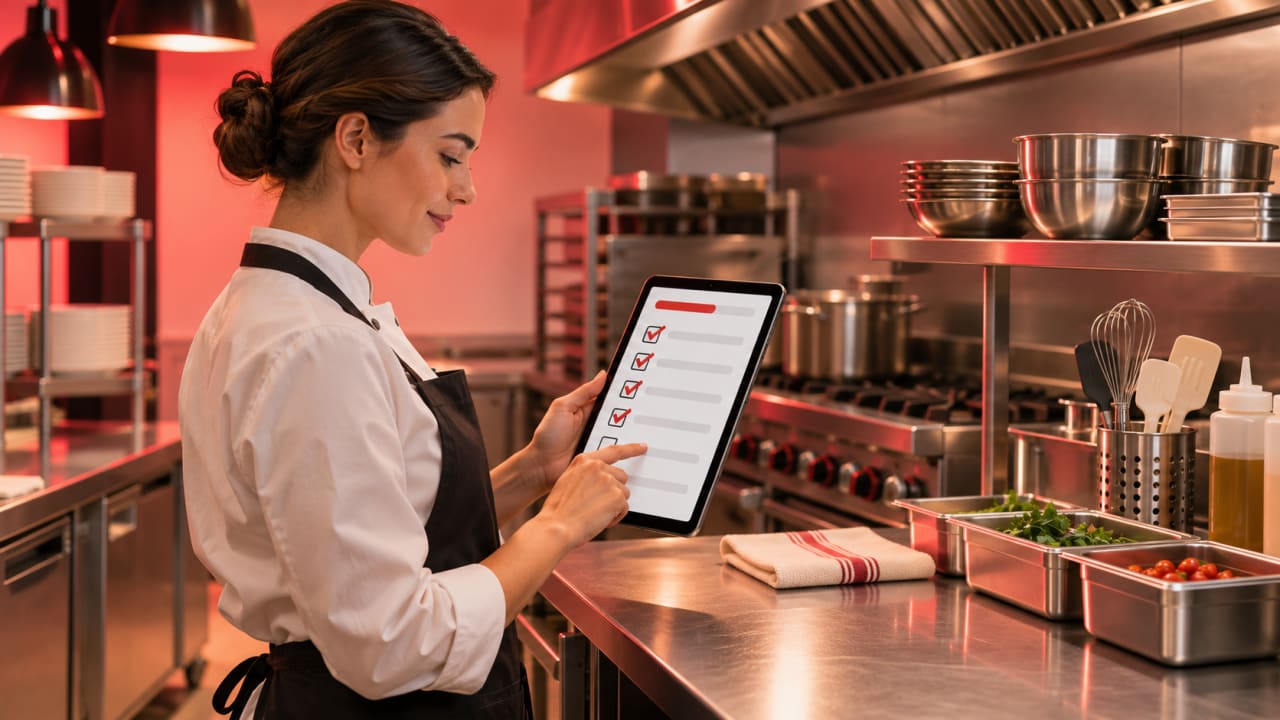
A restaurant SOP system should make the current procedure easy to find at the moment of work. A beautiful manual that staff cannot access beside the line, at opening or during a handover will not improve consistency. The system also needs clear ownership: who approves a change, when it takes effect and which locations have acknowledged it.
Some products below specialize in training and knowledge; others emphasize inspections, tasks or multi-unit execution. Choose based on the operational behavior you need to change.
Editorial disclosure: ChefPin selected these products using public product information, restaurant relevance, workflow coverage and buying clarity. No vendor paid for inclusion or position, and there are no affiliate links in this guide. Pricing was checked on November 17, 2026; promotions, add-ons, hardware, implementation and payment-processing charges can change.
Quick comparison
| Rank | Platform | Best fit | Published pricing approach |
|---|---|---|---|
| 1 | Trainual | Growing restaurant groups building role-based SOP and training libraries | Custom quote |
| 2 | SafetyCulture | Teams combining inspections, tasks and issue follow-up | Free and published per-seat plans |
| 3 | SmartSense Jolt | Restaurants needing checklists, labels, logs and operations execution | Custom quote |
| 4 | Ladle (formerly MeazureUp) | Multi-unit brands running operational audits and field visits | Custom quote |
| 5 | Opus | Frontline restaurant training delivered through mobile workflows | Custom quote |
| 6 | R365 Training | Restaurant365 customers wanting training in their existing ecosystem | Custom quote |
| 7 | Waybook | Small and mid-sized teams organizing procedures and onboarding | Published plan information |
| 8 | Process Street | Operations teams building conditional workflows and approvals | Published and custom plans |
| 9 | Scribe | Teams documenting screen-based office and back-office processes | Free and published paid plans |
| 10 | Whale | Teams centralizing SOP knowledge and employee training | Published and custom plans |
The table is a shortlist, not a universal ranking. Request a written quote using your employee count, locations, modules, hardware and implementation needs.
1. Trainual
Best for: Growing restaurant groups building role-based SOP and training libraries
Pricing: Custom quote. See the official Trainual page for current terms.
Key features to evaluate:
- process documentation
- role-based training
- completion tracking
What to check before buying: Confirm authoring, user limits and implementation services.
2. SafetyCulture
Best for: Teams combining inspections, tasks and issue follow-up
Pricing: Free and published per-seat plans. See the official SafetyCulture page for current terms.
Key features to evaluate:
- digital inspections
- actions and evidence
- analytics and sensors options
What to check before buying: Price frontline seats, template permissions and any sensor hardware separately.
3. SmartSense Jolt
Best for: Restaurants needing checklists, labels, logs and operations execution
Pricing: Custom quote. See the official SmartSense Jolt page for current terms.
Key features to evaluate:
- restaurant checklists
- food-safety logs
- task and label workflows
What to check before buying: Ask for hardware, label-printer and implementation costs.
4. Ladle (formerly MeazureUp)
Best for: Multi-unit brands running operational audits and field visits
Pricing: Custom quote. See the official Ladle (formerly MeazureUp) page for current terms.
Key features to evaluate:
- mobile audits
- corrective actions
- multi-location scorecards
What to check before buying: Test action ownership and reporting across franchise or corporate locations.
5. Opus
Best for: Frontline restaurant training delivered through mobile workflows
Pricing: Custom quote. See the official Opus page for current terms.
Key features to evaluate:
- mobile-first training
- multilingual delivery
- manager reporting
What to check before buying: Confirm language coverage, content services and employee identity requirements.
6. R365 Training
Best for: Restaurant365 customers wanting training in their existing ecosystem
Pricing: Custom quote. See the official R365 Training page for current terms.
Key features to evaluate:
- restaurant learning content
- training assignments
- workforce integration
What to check before buying: Clarify whether content libraries and authoring require separate fees.
7. Waybook
Best for: Small and mid-sized teams organizing procedures and onboarding
Pricing: Published plan information. See the official Waybook page for current terms.
Key features to evaluate:
- knowledge organization
- training and quizzes
- progress tracking
What to check before buying: Test frontline mobile access and exported records.
8. Process Street
Best for: Operations teams building conditional workflows and approvals
Pricing: Published and custom plans. See the official Process Street page for current terms.
Key features to evaluate:
- workflow checklists
- conditional logic
- approvals and integrations
What to check before buying: It is broad workflow software; validate ease of use for hourly restaurant teams.
9. Scribe
Best for: Teams documenting screen-based office and back-office processes
Pricing: Free and published paid plans. See the official Scribe page for current terms.
Key features to evaluate:
- automatic step guides
- screenshots and sharing
- knowledge-base embedding
What to check before buying: Best for computer procedures, not physical kitchen execution; use accordingly.
10. Whale
Best for: Teams centralizing SOP knowledge and employee training
Pricing: Published and custom plans. See the official Whale page for current terms.
Key features to evaluate:
- knowledge base
- training flows
- usage analytics
What to check before buying: Ask about minimum users, integrations and frontline access.
Capabilities to evaluate
- Mobile access and fast search
- Version history and approvals
- Role- or location-specific assignment
- Checklists, evidence and corrective actions
- Training and acknowledgement records
- Offline or shared-device operation where required
A practical demo checklist
- Publish an updated closing procedure to one location.
- Require a photo or temperature entry as evidence.
- Assign the change to a specific role and due date.
- Confirm what an offline or shared-device employee sees.
- Export acknowledgement and completion history.
- Archive the old version and verify it is no longer presented as current.
Calculate the real first-year cost
Compare subscription fees with implementation, data migration, hardware, integrations, messaging or payment usage, training, support and internal administration time. Use the same employee and location assumptions for every quote. Promotions should be shown separately from the normal recurring price.
Before signing, ask the vendor to identify the system of record, data-export method, cancellation terms and costs that are not included in the proposal. A restaurant should be able to leave with its operational records in a usable format.
Connect the software decision to hiring
Software can organize work, but restaurants still need clear roles and suitable people. Employers can find chefs in the United States, and candidates can browse chef jobs in the United States. For a related comparison, read our restaurant employee training software.
Frequently asked questions
Should SOPs and training live in the same system?
They can, especially for smaller teams. Larger operations may use a knowledge system for the approved procedure and a separate operations tool for recurring execution.
How long should a restaurant SOP be?
Only as long as needed to complete the task safely and consistently. Use short steps, photos or video where helpful, and link to detailed policy rather than crowding the working checklist.
What causes SOP software projects to fail?
Uploading old documents without assigning owners, review dates or location-specific responsibilities. Governance matters more than the initial library size.
Final recommendation
Shortlist two or three products that match the restaurant’s size and primary workflow. Run the same realistic demo in each, include an hourly employee and a location manager, and score usability, reporting, integration, support and total first-year cost. Choose the product the team can operate consistently—not the one with the longest feature list.
Pricing and product information checked November 17, 2026. Vendors may change plans, features and availability. ChefPin did not accept payment for inclusion or ranking.


