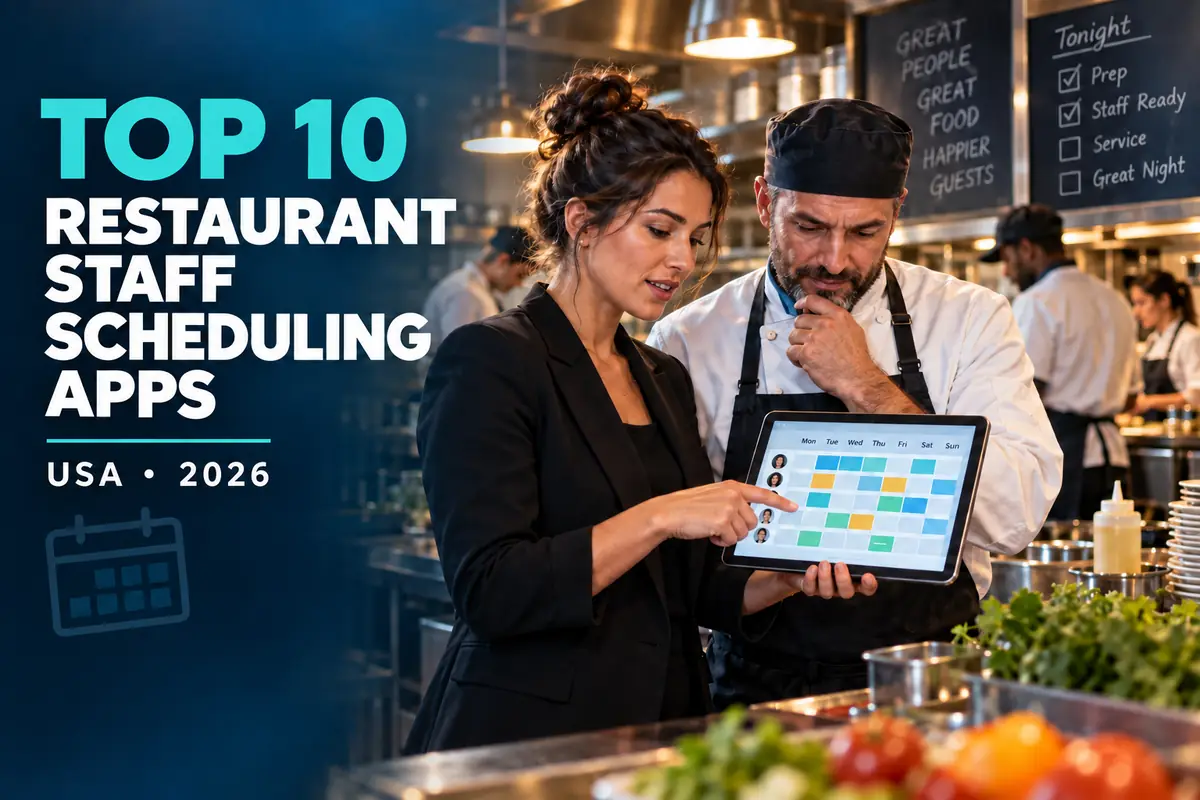
Restaurant schedules have to balance sales demand, labor targets, employee availability, overtime, breaks, role qualifications and last-minute callouts. A generic calendar can publish shifts, but restaurant-focused scheduling software should also help managers control labor without leaving the kitchen understaffed.
This guide compares 10 staff-scheduling apps available to restaurants in the United States. It includes current public prices where vendors publish them, a like-for-like cost example for one location with 25 active team members and the questions operators should ask before choosing a platform.
Pricing and editorial disclosure: Prices were checked on official vendor pages on September 23, 2026 and are shown in US dollars before tax, promotions and optional add-ons. The 25-person examples use monthly billing unless stated otherwise. Vendors can change prices, limits and features. Quote-based products are labeled instead of being assigned estimated prices. No company paid for inclusion or position, and the numbering organizes the comparison rather than claiming a universal ranking.
Restaurant scheduling software comparison
| Platform | Public starting price checked | Example for 25 staff at one location | Best fit |
|---|---|---|---|
| 7shifts | Comp free; Essentials from $39.99/location/month annually or $44.99 monthly | $44.99/month on monthly Essentials | Restaurant-specific scheduling and labor tools |
| Homebase | Basic free; Essentials $30/location/month | $30/month | Independent restaurants and cafés |
| Sling | Free up to 30 users; Premium $2/user/month | $50/month for Premium | Low-cost scheduling and communication |
| Deputy | Lite $5/user/month | $125/month for Lite | Compliance and demand-based scheduling |
| When I Work | Essentials $2.50/user/month | $62.50/month | Straightforward multi-location scheduling |
| Connecteam | Small Business free up to 10; Operations Basic $35/month for first 30 users | $35/month for Operations Basic | Mobile operations beyond scheduling |
| ZoomShift | Essentials free up to 20; Starter $2/active user/month | $50/month for Starter | Seasonal and growing hourly teams |
| Square Shifts | Shifts Free up to 5; Shifts Plus starts at $4/team member/month | $100/month for Shifts Plus | Restaurants already using Square |
| HotSchedules | Custom quote | Request a quote | Established and multi-unit restaurant brands |
| Restaurant365 | Custom quote | Request a quote | Groups connecting schedules with restaurant finance and operations |
The listed example is not always the vendor's most feature-complete plan. A low starting price can exclude forecasting, advanced compliance, time clocks, permissions or reporting, so compare the plan that contains the functions your restaurant will actually use.
1. 7shifts — best restaurant-specific scheduling option
7shifts is designed around restaurant operations rather than general office workforce management. Managers can build schedules, collect availability and time-off requests, offer open shifts and communicate with employees. Higher plans add labor-compliance tools, stronger time-clock functions, labor budgeting and operational features.
Published price: Comp is free for one location with a limited employee count. Essentials is displayed at $44.99 per location on monthly billing or $39.99 per location per month when billed annually, for up to 30 employees. Pro is $89.99 monthly or $79.99 per month annually and allows unlimited employees. Premium is $149.99 monthly or $134.99 per month annually. Prices and new-customer offers can change.
For the 25-person example, monthly Essentials costs $44.99. Restaurants that need the more advanced labor, compliance or time-clock features should budget for Pro rather than choosing Essentials only because it is cheaper.
Best for: Restaurants wanting software built specifically for front-of-house and back-of-house scheduling, especially when POS sales data will inform labor planning.
Check before buying: Confirm the employee cap, POS integration, time-clock functions and labor-compliance features in the selected plan. Billing is per active location, so model the cost across the entire group.
2. Homebase — best value for a single-location hourly team
Homebase combines scheduling, time tracking and team communication with optional hiring, HR, payroll, tip and task products. Its per-location pricing can be economical for a busy restaurant because paid plans allow unlimited employees at that location.
Published price: Basic is free for one location and up to 10 employees. Essentials is $30 per location per month, Plus is $70 and All-in-One is $120. Annual billing reduces those effective monthly prices to $24, $56 and $96 respectively.
At 25 employees, Essentials remains $30 per month for one location. Plus may be the more relevant comparison when the restaurant needs AI-assisted scheduling, PTO controls, departments or stronger permissions. All-in-One adds onboarding, labor-cost management and HR/compliance capabilities.
Best for: Independent restaurants, cafés, bars and food-service businesses that want a predictable per-location bill.
Check before buying: Every physical address counts as a location. Review which plan contains forecasting, permissions and HR functions, and price payroll or tip management separately if needed.
3. Sling — best low-cost scheduling and communication app
Sling offers shift scheduling, time-off handling, available shifts, news and private messaging on its free plan. Premium adds mobile time tracking, labor-cost management, overtime tracking and calendar synchronization. Business adds kiosk time tracking, reports, no-show tracking, PTO management and payroll reports.
Published price: Free for up to 30 users. Premium is $2 per user per month on monthly billing or $1.70 when billed annually. Business is $4 monthly or $3.40 annually per user.
For 25 users, Premium costs $50 per month on monthly billing and Business costs $100. The free plan can cover basic scheduling for a 25-person restaurant, but a manager who needs time tracking or labor controls should compare the paid plans.
Best for: Cost-conscious restaurants that primarily need schedules, shift changes and staff communication.
Check before buying: Count every administrator, manager and employee as a user. Confirm the reporting and POS or payroll export workflow before relying on Sling as the source for payroll hours.
4. Deputy — best for compliance and demand-based scheduling
Deputy combines scheduling, time clocks, availability, leave, shift replacement and labor-law controls. Core adds auto-scheduling, demand forecasting, labor optimization, wage budgets, biometric clocking and more advanced compliance. Pro adds custom access levels, location hierarchies, pay centers, advanced timesheets and enterprise-oriented controls.
Published price: Lite is $5 per user per month, Core is $6.50 and Pro is $9. Deputy has a $30 minimum monthly spend per invoice. Optional HR, messaging, analytics and US payroll products carry separate charges.
For 25 users, Lite costs $125 per month, Core $162.50 and Pro $225. For many restaurants, Core is the useful comparison because its demand forecasting and labor optimization are closer to the reasons operators replace manual scheduling.
Best for: Restaurants that need stronger scheduling rules, compliance support, forecasting and multi-location controls.
Check before buying: Ask the vendor to configure your state and local break, overtime and predictive-scheduling rules during the demonstration. Software can support compliance, but the employer remains responsible for the rules and data entered.
5. When I Work — best for simple multi-location scheduling
When I Work provides employee schedules, templates, availability, OpenShifts, shift swaps, messaging and forecasting. Pro adds advanced scheduling rules, role permissions, labor sharing and custom reporting. Premium adds API access, webhooks and SAML/SSO.
Published price: Essentials is $2.50 per user per month, Pro is $5 and Premium is $8. The vendor's pricing page also presents time-and-attendance options, so buyers should confirm whether their desired clock and attendance functions are included in the displayed configuration.
For 25 users, the schedule-plan calculations are $62.50 for Essentials, $125 for Pro and $200 for Premium each month.
Best for: Restaurants that want an approachable scheduling experience across one or several locations without buying a broad restaurant back-office suite.
Check before buying: Confirm the complete price with time tracking enabled, plus required payroll and POS integrations. Test labor sharing if employees work at more than one location.
6. Connecteam — best for mobile operations beyond the schedule
Connecteam's Operations Hub includes a job scheduler, time clock, forms and quick tasks. That can be useful when a restaurant wants opening checklists, cleaning records, manager tasks and staff schedules in one mobile app. Connecteam sells Communications and HR & Skills as separate hubs, with limited cross-hub access included in plans.
Published price: The Small Business plan is free for up to 10 users. Operations Basic is $35 per month for the first 30 users, Advanced is $59 and Expert is $119. Annual equivalents are $29, $49 and $99 per month, paid upfront. Additional-user pricing begins after 30 users, and Enterprise is custom priced.
For 25 users, Operations Basic remains $35 per month on monthly billing. Advanced may be more appropriate for restaurants that need recurring shifts, more geofences, bulk actions and more schedule controls.
Best for: Restaurant groups that want mobile scheduling, timekeeping, forms and shift tasks in one operations tool.
Check before buying: Connecteam prices each hub separately. List the scheduling, communication, training and HR features you need, then calculate the selected combination rather than assuming one Operations subscription includes every hub.
7. ZoomShift — best for seasonal teams and flexible headcount
ZoomShift focuses on scheduling, availability, shift swaps, time off and hourly time tracking. Its active-user billing and ability to pause a subscription can suit seasonal restaurants, event caterers and venues with changing headcount.
Published price: Essentials is free for up to 20 users, one location and schedules up to two weeks ahead. Starter is $2 per active team member per month and includes unlimited scheduling, availability, time off, swaps, time clock, timesheets, PTO and multiple locations. Premium is $4 per active team member and adds auto-scheduling, overtime warnings, geofencing, conflict prevention, permissions and priority support.
For 25 active users, Starter costs $50 per month and Premium costs $100.
Best for: Seasonal restaurants and growing hourly teams that want transparent per-active-user pricing.
Check before buying: Ensure inactive or seasonal workers are managed correctly for billing. Test payroll reports and confirm whether the scheduling controls in Starter are sufficient before upgrading.
8. Square Shifts — best for restaurants already using Square
Square Shifts connects schedules, timecards and team functions with the Square ecosystem. Employees can view schedules, request time off, trade or cover shifts and clock in through supported Square tools. Square Payroll users receive the free Shifts functions without the usual five-person limit.
Published price: Shifts Free covers up to five team members, including the account owner. Shifts Plus starts at $4 per team member per month. At 25 billed team members, that is $100 per month.
The value is strongest when a restaurant already uses Square POS or Square Payroll and wants staff hours and sales-related workflows in the same ecosystem.
Best for: Cafés, quick-service restaurants, food trucks and small operators already committed to Square.
Check before buying: Square has been consolidating some products into broader subscription plans. Ask which Shifts features are included in your current Square plan and whether separate Shifts Plus billing still applies to your account.
9. HotSchedules — best for established restaurant operations
HotSchedules, part of Fourth, is a restaurant-focused workforce platform that connects scheduling with sales and labor data. Its public materials emphasize demand-informed schedules, overtime control, labor-law alerts, mobile schedule access, team communication and POS integrations.
Published price: Fourth does not publish a standard HotSchedules subscription rate. Buyers are directed to request a demonstration and proposal.
The platform is most relevant to operators whose buying decision includes multi-unit labor management, enterprise integrations or other Fourth workforce products—not merely a basic weekly calendar.
Best for: Established restaurant brands and multi-unit groups that want a restaurant-specific workforce platform.
Check before buying: Request an itemized quote for scheduling, time and attendance, implementation, POS connections, training, support and every location. Ask for both first-year and renewal costs.
10. Restaurant365 — best for connected restaurant back-office operations
Restaurant365 combines restaurant accounting, inventory, workforce management, payroll and HR modules. Its workforce product supports drag-and-drop scheduling, sales forecasting, shift swaps, time-off requests, alerts, labor rules, tasks and training. That breadth can help groups that want labor decisions connected to restaurant financial data.
Published price: Custom quote. Restaurant365's public pricing page asks buyers to build a proposal, and scheduling is also shown as a standalone module in its plan comparison.
Best for: Growing and multi-unit restaurant companies comparing a connected operations platform rather than a standalone schedule app.
Check before buying: Separate the cost of scheduling from accounting, inventory, payroll, hiring, training, implementation and integration modules. A broad platform can reduce data silos, but only if the restaurant will use and maintain the connected system.
What a 25-person restaurant might pay
The following examples use monthly billing and the lowest paid plan that supports a 25-person team. They are not feature-equivalent quotes.
| Platform and example plan | Monthly calculation | Example total |
|---|---|---|
| Homebase Essentials | Flat per-location price | $30.00 |
| Connecteam Operations Basic | Flat price for first 30 users | $35.00 |
| 7shifts Essentials | Flat per-location monthly price, up to 30 employees | $44.99 |
| Sling Premium | 25 × $2 | $50.00 |
| ZoomShift Starter | 25 × $2 | $50.00 |
| When I Work Essentials | 25 × $2.50 | $62.50 |
| Square Shifts Plus | 25 × $4 | $100.00 |
| Deputy Lite | 25 × $5 | $125.00 |
| HotSchedules | Custom quote | Not public |
| Restaurant365 | Custom quote | Not public |
The table shows why the billing model matters. Per-location pricing becomes economical as one location adds staff, while per-user pricing follows headcount more closely. However, comparing price without plan features can be misleading: the cheapest paid tier may lack the forecast, time clock or compliance tool that triggered the search.
How to choose a restaurant scheduling app
Start with the demand forecast
A schedule is a labor plan. Decide whether managers need only a shift calendar or whether the software must use POS sales, reservations, weather or historical demand. Ask the vendor to demonstrate a real dinner rush, weekend brunch and quiet weekday—not a generic retail schedule.
Map roles and qualifications
List every schedulable role: executive chef, sous chef, line cook, prep cook, dishwasher, server, bartender, host, barista and manager. Note certifications, station skills and minimum coverage. The system should prevent an attractive schedule that leaves a critical station unqualified.
Test changes after publication
Have employees submit availability, request time off, claim an open shift and propose a swap. Then create a callout one hour before service. Managers should be able to see who is eligible without creating overtime or a scheduling conflict.
Check wage-and-hour controls
US overtime, meal and rest breaks, predictive-scheduling rules and minor restrictions can vary by jurisdiction. Ask which alerts are automatic, which require configuration and which are only reports. Treat the software as a control tool, not legal advice.
Validate POS, payroll and time-clock connections
An integration logo is only a starting point. Confirm exactly which data moves in each direction: employees, roles, wages, sales, forecasts, scheduled hours, actual punches, tips and approved timecards. Test corrections before payroll closes.
Calculate the complete annual cost
Request a written estimate that includes:
- Every restaurant location and active user
- Scheduling, time clock and attendance functions
- POS and payroll integrations
- Forecasting and labor-budget tools
- Team messaging, tasks and manager logbooks
- Implementation, data migration and training
- SMS or messaging charges
- Contract length, annual increase and cancellation rules
- First-year discounts and the standard renewal price
A practical 14-day scheduling-software test
Do not judge a system only from a sales demonstration. Run a trial with one real restaurant schedule:
- Import or create 25 employees, all roles and normal availability.
- Build next week's schedule from forecasted demand and labor targets.
- Publish it and have several employees use the mobile app.
- Process one time-off request, one shift swap and one same-day callout.
- Record punches, breaks, late arrivals and a manager correction.
- Export approved hours or sync them to the payroll test environment.
- Compare scheduled labor, actual labor and manager time with the old process.
The winning system is the one managers and employees can use correctly under service pressure. A long feature list is less valuable than fewer schedule errors, faster coverage and clean payroll data.
Hiring and scheduling should form one workflow
Scheduling software organizes the team you already have. Recruitment software helps fill the roles the schedule exposes. Restaurant employers can find chefs and hospitality professionals on ChefPin, while candidates can explore chef and restaurant jobs.
For a broader hiring stack comparison, see ChefPin's Top 10 Restaurant Recruitment Software Platforms. Once employees are hired, compare the Top 10 Restaurant Payroll and HR Software Platforms in the USA to connect approved time with onboarding and pay.
Frequently asked questions
What is the cheapest restaurant scheduling app for 25 employees?
Sling offers a free scheduling plan for up to 30 users, while 7shifts also has a limited free restaurant plan. Among the paid examples in this comparison, Homebase Essentials is $30 per location per month, Connecteam Operations Basic is $35 for the first 30 users, and 7shifts Essentials is $44.99 on monthly billing. Features differ, so compare the plan needed for time tracking, forecasting and compliance.
Which scheduling software is made specifically for restaurants?
7shifts, HotSchedules and Restaurant365 are explicitly restaurant-focused. Homebase, Sling, Deputy, When I Work, Connecteam, ZoomShift and Square Shifts serve broader hourly-workforce markets but support many restaurant use cases.
Should a restaurant choose per-user or per-location pricing?
Per-location pricing can be attractive for a busy site with many employees. Per-user pricing can suit small or seasonal teams because costs track active headcount. Multi-unit operators should model every location and shared employee before deciding.
Does staff-scheduling software reduce labor costs?
It can help managers compare scheduled labor with forecasts, identify overtime risk and fill shifts more efficiently. Savings depend on accurate sales data, wage rates, rules and manager decisions; purchasing software alone does not guarantee a reduction.
Can employees swap shifts in these apps?
Most platforms in this guide support shift swaps, covers or open shifts on at least one plan. The approval workflow and eligibility checks differ, so test them with your actual roles and overtime rules.
Is scheduling included with restaurant POS software?
Sometimes. Square offers Shifts within its ecosystem, while other POS providers include, sell or integrate scheduling tools. Compare the complete POS and workforce package because integration or advanced scheduling may cost extra.
Which features matter most for multi-location restaurants?
Look for location-specific permissions, shared employees, cross-location overtime visibility, consistent templates, centralized reporting, demand forecasts, SSO and reliable POS/payroll integrations. Confirm whether billing and employee limits apply to each location.
Final recommendation
Start with the tools closest to the restaurant's existing systems. A restaurant already using Square should price Square Shifts; an operator wanting a restaurant-specific platform should test 7shifts; a single-location hourly business should compare Homebase, Sling and ZoomShift; and a group needing stronger rules should evaluate Deputy or When I Work. Connecteam is compelling when checklists and mobile operations belong in the same app, while HotSchedules and Restaurant365 deserve proposals when the decision covers multiple locations or a broader back-office platform.
Shortlist three products, run the same real schedule in each and compare the full annual price. The best choice is not the app with the most features—it is the one that reliably puts the right qualified people on each shift, keeps labor visible and sends accurate approved hours to payroll.